Hvorfor jeg blogger (så lidt)?

Procrastination

Der er langt imellem indlæggene og det har været sådan længe. Selvom jeg holder af at skrive, så bliver det meste tekstarbejde holdt på arbejdet og alle andre steder end i lang form som blogindlæg vel er – og for det meste som flygtige kommentarer, enpassant, som chat-skriv og “sh*tposts” på sociale medier.

Hvorfor skrive i første omgang?

Jeg har altid været glad for at skrive – uagtet om det var noget teknisk dokumentation, en ansøgning, listig email eller lange indlæg til en ellers hensygnende blog. Nåja, og i et tidligere liv fyldt med foreningsblade, skrivekurser og arrangementsengagementer som kommunikationsperson længe før verden fik sociale medier, clickbait og lagde resten i story.

God kommunikation har stadig en særlig plads i bevidstheden, og skriftlig formidling især. Ikke fordi jeg er nogen ørn overhovedet, men det er en vist bundniveau kommer aldrig skidt tilbage, og skal man holde sig hårsbredder over “godt nok” så kræver det vedligeholdelse og stadig træning. Om det er sprog eller sport, så gælder “use it or lose it” – din skrivemuskel skal udsættes for belastning for at forblive stærk og du behøver ikke engang at få sved på panden (omend det ikke kan undgåes helt).

Når jeg skriver, så er det altså for hyggens og træningens – og for at få forvandlet tanker til tegn til tekster. En udrensning af sindets spindelvæv for at slippe for 117 ture rundt om samme funderinger, hvor disse kan holdes i strakt arm fra livet, undersøges, vurderes og deles, for siden at havne i den digitale skraldespand eller på harddiske til evig tid. Kartesis for hjernekassen og når man så har afskrevet tankerne bliver der plads til nye.

Hvorfor gøre det bedre end de professionelle?

Jeg gør det ikke bedre, hurtigere eller mere end de professionelle, som fylder deres dag med at skrive tekster. Det er et rent hobbyforetagende, et middel til et mål og en måde at opnå andre opgaver – skrivningen bliver vejen men ikke opgaven i sig selv. Der er ved gud heller ikke brug for flere meninger, analyster, holdninger og andre halvbagte udgydelser til at fylde internettet, æteren og for efterhånden få af dems tilfælde papiret til omnibusudgivelserne.

Når det så er nævnt, så er der på den anden side heller ingen grund til at blot erkende sin begrænsninger og holde sin til sin snævre skare, finde et format eller rammeværktøj og så ellers lade ordene falde som de nu falder – ikke mere men så sandelig heller ikke mindre. For et tyve års penge siden taltes der højtidligt om borgerjournalistik, demokratisk inddragelse af andre slags formidlere og at mediernes ledvogtere var ovre. På nettet kan alle udgive … ja, alt!

Historien siden har ikke just været et opløftende studie i inddragelse og udgivelse med udgangspunkt i almindelige mennesker med almindelige tilgange. Måske var (og er?) et vist niveau af professionalisering ikke af det onde, når det kommer til at kommunikere? Ikke mindst når emnerne er både komplexe og af afgørende karakter for større grupper af mennesker – det være sig nyhedsstof, indsigter og forklaringer på hvordan eller hvorfor ting er som de er. Vi får (mindre og mindre?) af vores opfattelse af omverdnen fra tekster vi læser.

Hvorfor ikke bare lade være?

Måske er den logiske konsekvens således at lade være med at gå dem i bedene. Der skal altså mere end bare en god portion glad entusiasme til at snedkerere en fyldestgørende, forklarende og helst fyndig tekst, der med lige det rette antal ord, sætninger, afsnit og inddelinger fastholder læseren og ikke slipper før tingenes rette sammenhæng står klart. Der er tricks, det er en kunst og kræver tid, koncentration og fokus. At skrive og publicere er ikke for alle!

Man kan risikere så meget, når man deler sine tanker: De kan være dårlige, ikke helt færdigtænkte, dårligt formuleret eller slet og ret bare intime og muligvis ikke anvendelige for nogen anden. Måske har andre haft samme tanker før og forklaret dem meget bedre og man står tilbage med bukserne om anklerne (i overført forstand, naturligvis).

Når man så først har været alle fortrydelserne igennem og rent faktisk trykker på “Publicér”-knappen, så skal man måske stå på mål for sine meninger, forklare de utydelige dele, redigere det upassende, vende tilbage med opfølgning og hvad der ellers følger af tyngende og tidskrævende arbejde. Det var jo ikke meningen – det skulle bare være lidt sjov i fritiden. Lidt jongleren med ordene og helt uafladeligt fik man sneget en holdning ind hist og her, som ikke var delt vidt og bredt.

Men måske det modsatte skete? Måske nogen læste noget og fik oplevelsen af, at andre delte samme tanker. Måske alle de der professionelle i al deres professionalitet ikke fik alle nuancerne med og måske der fandtes nogen, der kunne finde sammen om andre aspekter, udvikle dem og finde på helt nye idéer? Måske er det derfor det bare ikke er en mulighed at lade være!

Hvorfor så fortsætte med at læse?

Jeg skriver fordi det er en ren fornøjelse. Lege med ordene og sætte tanker sammen på en anden måde end når de bliver talt. Det er sikkert hverken kønt eller talentfuldt, men her er ingen tvang andet end mig selv og mine tvangstanker og -skriverier. Jeg har skrevet for et publikum i over 30 år og selvom blogformatet idag har helt andre konnotationer end da det startede omkring år 2000, så passer det mig rigtigt godt. Sociale medier er en svøbe, og at være i fuld kontrol over sin egen platform er konge.

Det er mange år siden jeg skrev fast på denne blog og jeg har savnet det så meget! Det er små og store historier, betragtninger fra andre vinkler eller blot lidt teknisk causeri eller en vejledning for de få indviede – altsammen skal være her, og måske smider jeg noget ud på de kanaler, jeg trods alt har på de forkætrerede SoMe-systemer.

I flere år har det været en vaklen: “Skal jeg virkelig skrive her, så skal det osse være rigtigt godt og med illustrationer og afsnit og fotos og links og syndikering og blablabla” og så skete der rent ud sagt ikke en skid. Nok en halvtreds halvfærdige indlæg ligger i kø inde i blogsystemet med noter, halvfærdige indgangssætninger og et helt hav af gode intentioner… altså, det der vejen til helvede er brolagt med.

Nu bliver det anderledes! Alt kan ske og alt skal osse ske – hellere 10 halvdårlige indlæg end 1 der ikke bliver skrevet færdigt og derfor ikke udgivet. Med tiden kan jeg hæve kvaliteten, men hensigt gør det ikke – kun publicerede indlæg gør.

Jeg vover pelsen og deler nogle personlige ting her. Fordi jeg vil skrive (igen), og blive bedre til det. Fordi jeg ikke kan lade være, da skrivningen altid har været en glæde og fornøjelse. Fordi jeg tror på mine historier. De er gode og kan måske glæde eller bare interessere andre.

Og fordi at når dette indlæg bliver udgivet har jeg fuldført endnu en tur rundt om solen, livets skrøbelighed bliver kun mere tydelig og så kan det sgu være lige meget – nu gør jeg det. Tillykke til mig med de 46 år.

På Den Anden Side #1

Velkommen til podcasten “På Den Anden Side” og det allerførste afsnit!

I premiereafsnittet af “På Den Anden Side” er det med stor ære og fornøjelse, at kunne samtale med Gunnar Langemark om elektroniske medier, deres historie, lidt anekdoter fra dengang det begyndte i 1990’erne og om podcasten overhovedet er andet end tomme bits’n’bytes.

Det er det helt lange perspektiv vi opererer med og ikke uden en god portion kritik af både medie- og tech-branchen men også dagens (for)brugere – som det opleves af nogle veteraner.

Gå heller ikke glip af Gunnars anekdote om hvordan han skrev en rapport til Nyrup-regeringen og bagefter måtte stille til skæld-ud!

Updating an iMac 27″ EMC 2546

Back in 2013 when my oldest son was 10 years old I wanted him to get into computers. He had already started gaming but the responsible thing seemed to ever-so-gently nudge him towards development and the world of creating your own applications. As I was already a converted Apple-fan (from Linux) the best choice was an iMac that everybody could use. A good sized screen of 27 inches with plenty of ‘real estate’, a hard drive to hold it all and RAM to last all the way (8GB).

Well, he did get a lot of ‘milage’ out of it but in the end he was more interested in serious gaming and that meant getting him on a Windows platform a couple of years later (much to the dismay of his father, but hey…). With that, the iMac was now going to my oldest daughter – not a gamer but not really interested in computers either. And she was – and is – able to do most everything with her smartphone!

So, there was basically an “orphaned” high quality desktop computer ready to be put to use. A little dated but working and running Mojave without sweating too much. Ok, it could definitely use more RAM but can you ever get enough of that? My primary work station is a laptop but at home it becomes pretty stationary and not as flexible as I would have hoped – in other words, sure, it would be great to have a desktop computer!

That’s when I cleared a very cluttered desk and made preparations to get started on this “new” machine – just gotta pick it up from upstairs and bring it down, hit the power-button and get started… not! Damn thing won’t boot! Well, it starts, plays the tune and then turns off again. It’s broken! Nothing! A six year old iMac headed for the eternal pasture?! Over a faulty hard drive! Damn!

Not my first repair rodeo

Well, we couldn’t have that so I rushed to ifixit.com where I’ve ordered from in the past: A replacement screen for the aforementioned Macbook which I smashed when closing the lid over a toothpick and then more recently replacing a broken iPhone screen. Yeah, I’m a pretty good repairman and if I can fix something as fiddly as a Macbook and iPhone of course I can fix a big ole iMac!

But why not take the opportunity to get some much needed upgrades in and extend the life of this trusted old computer? There’s a hard drive replacement kit that includes a SSD and since I’m waiting for the kit to arrive (from Stuttgart, Germany) why not upgrade the memory and go for the full 32GB that the iMac can support?!

It all comes at a premium but this is a premium computer and it’s worth it to keep running – no other brand will give you value like this over so many years and everything (else) works so I ordered the components: Replacement kit (the 500GB option to replace the 1TB HDD the was faulty) that included all the tools and spareparts needed from ifixit and 4 x 8GB RAM (Crucial DDR3L PC3-12800 204-pin) from Proshop in Denmark.


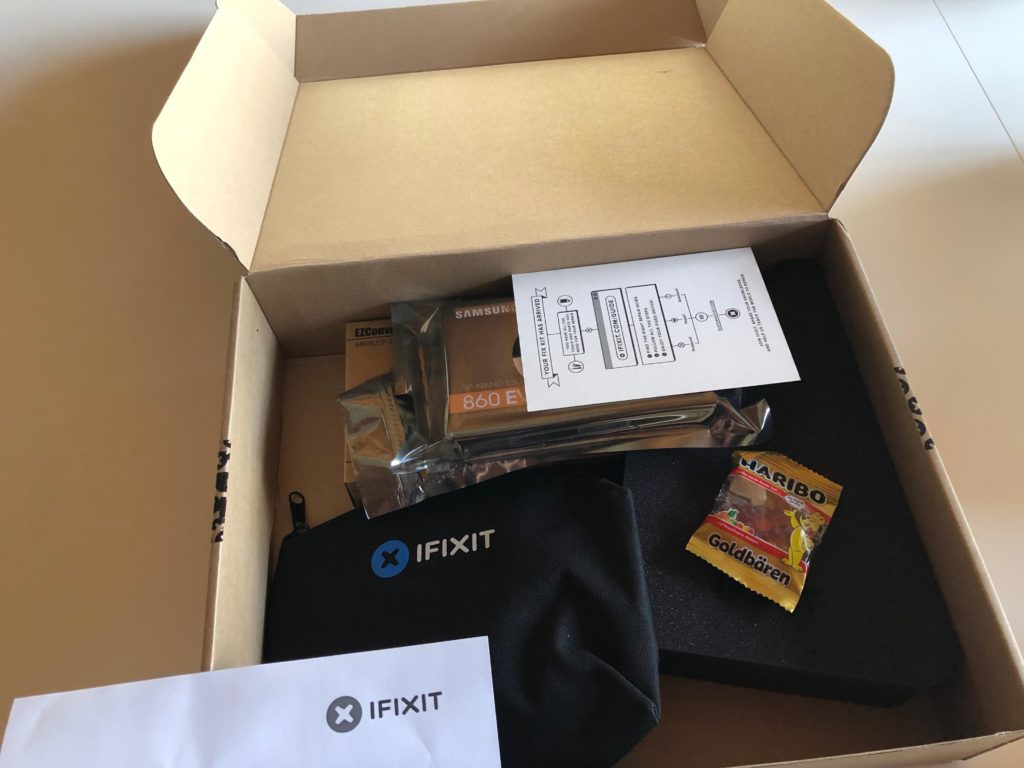
The box with tools, hard drive and gummy bears(!) from ifixit

After a couple of days all parts arrived and I was ready to get cracking on the upgrades. The RAM was easy enough as it only required moving a small hatch on the back just below the power cable. When power cable is removed a small tap can be pressed inside the “ring” and the hatch releases. True to Apple engineering prowess the memory banks are accessible after moving a lever giving easy way to remove or install modules. Quick and simple fix.

Next up is the complex operation of opening the darn thing, removing old hard drive, installing new, testing and then assembling everything back! There are no screws but only adhesive sticks along the edge of the screen so no room for mistakes – get this right or it can’t be reassembled. With stakes high the repair guide was whipped out and the classification of “Difficult” was just an extra motivational factor. I got this!

Cracking it open

Using the roller-cutter supplied to release the screen from the casing was quite simple. The tool supplied was just the right size to cut the seal of the adhesive strip but a little bit of wiggling was necessarry.
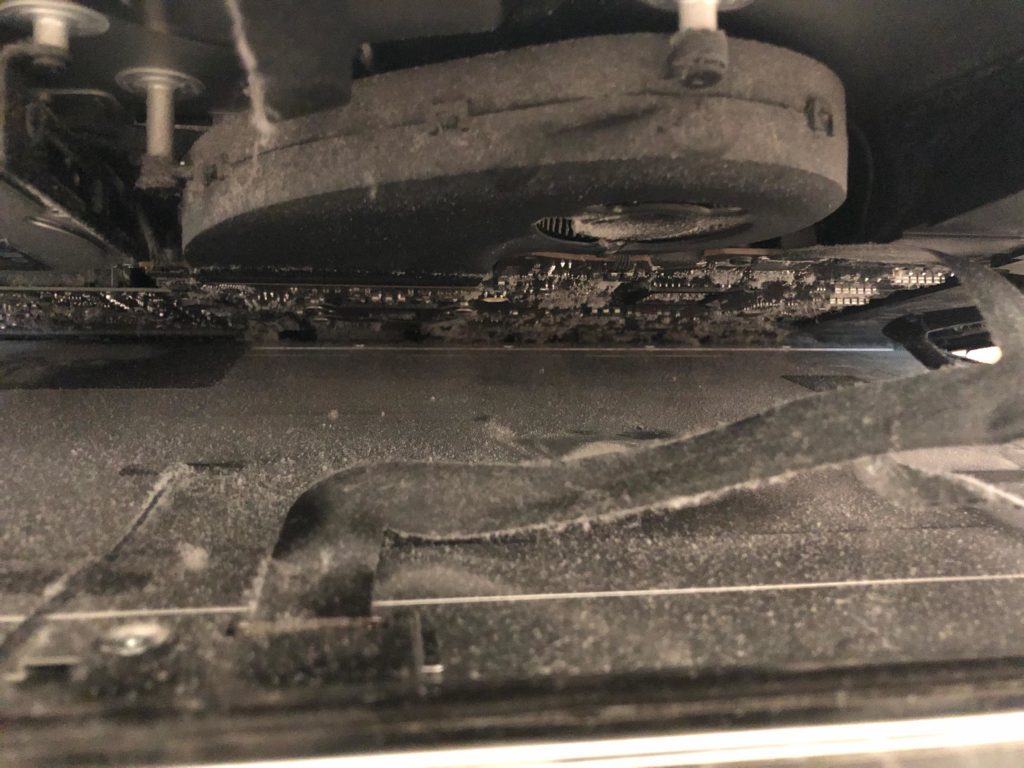
I would recommend doing this part on a soft surface in case the screen slips and falls. Getting the whole thing opened revealed that a good cleaning was way overdue. Be careful when sticking vacuum cleaners, fingers or anything else inside delicate electronics as static electricity will kill it.


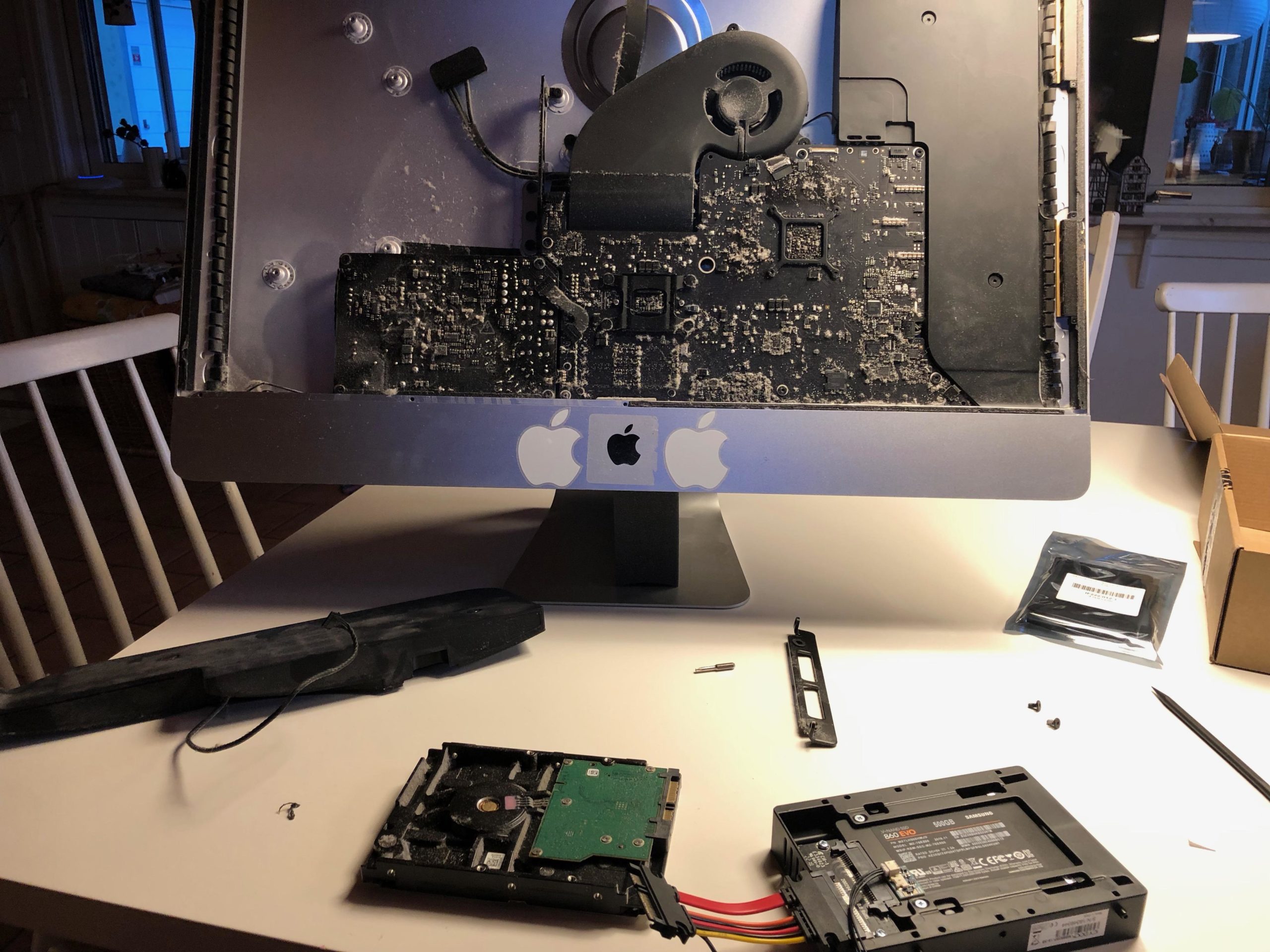
Plenty of nasty stuff after six years – removed carefully with vacuum cleaner and anti-static towel

Just two small connectors keeps the screen attached to the rest of the machine and as per usual it’s really fiddly and really delicate. Be very careful when detaching the connectors – not only can they break but poking around in the guts is an ESD-risk. Static electricity is a nightmare.

Since everything is held together by adhesive strips and not “inter-locking” metal bits you really need an extra pair of hands just in case. My oldest son was really helpful when taking this apart and at 15 he’s a “dust afficionado” judging by the state of his room…

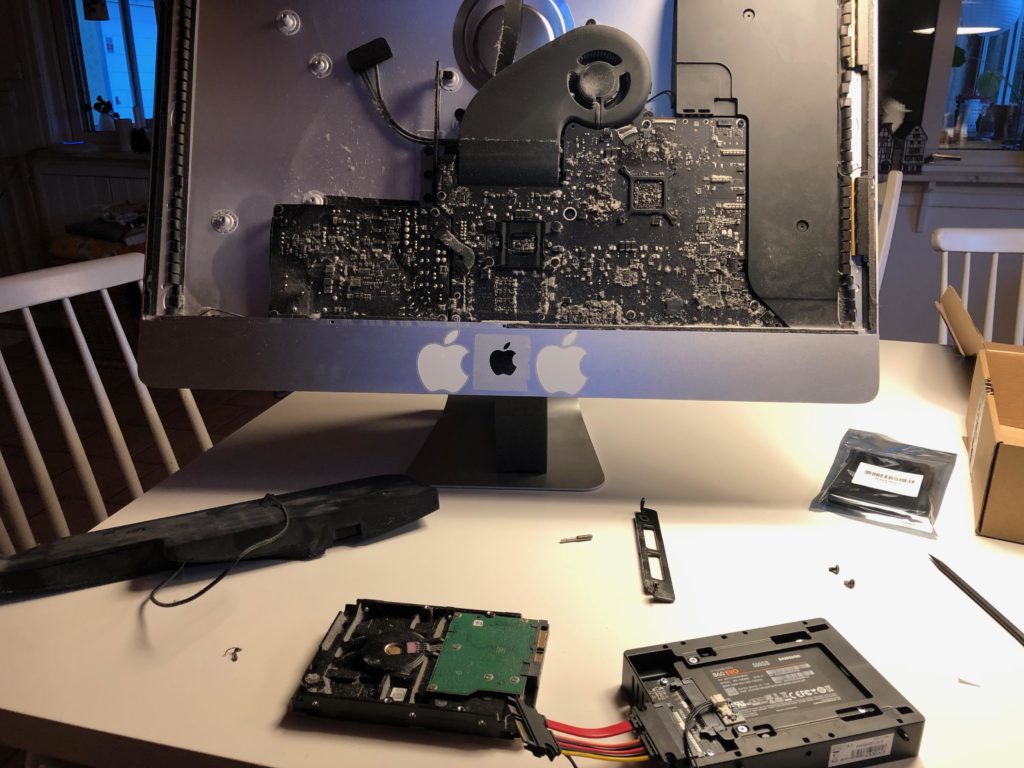
Preparing the new SSD-disk for assembly, cleaning the inside

Moving the speaker and getting access to the disk was surprisingly easy. Never forget to go gently and triple-check that all wires are out of the way. Patience is so important as there are really a lot of sensitive stuff – but the build layout and -quality is very good so taking your time is well spent. The disk is not screwed in but suspended in brackets, one on each side so be careful when you take things apart or the disk will easily slip.

The connection cable is just the right length so when installing the new hard drive be careful and plan how you want the connector to go. There’s a temp sensor that goes in between to consider but the ‘wiggle room’ is just enough for it all to fit.

Making a list, checking it twice…

Biggest issue is that you really only have one shot at doing this right. If you’re not certain order some extra adhesive strips from the beginning – and if you’ve never opened a Mac before it can seem a bit intimidating. It is not that difficult, just time consuming and requires attention. Here’s my own little checklist for getting this done right the first time:

  • Make sure you have a couple of hours blocked out for doing this
  • Have all the tools readily available – all comes with the package deal from ifixit
  • Glue-removal. I use a bit of acetone (nailpolish-remover) on a q-tip for the residues around the edges
  • An extra pair of hands on call – have someone in the next room or so ready to assist

Getting the screen back in place was definitely the most sensitive part as all the old adhesive strips needed to be cleared off before you could reassemble things. Make sure you take extra special care when removing and don’t rush it! First do the screen and make sure you get it all off with a little acetone or similar. Then repeat on the body of the computer – this is where the replacement adhesive sticks go so check it all and check it again.

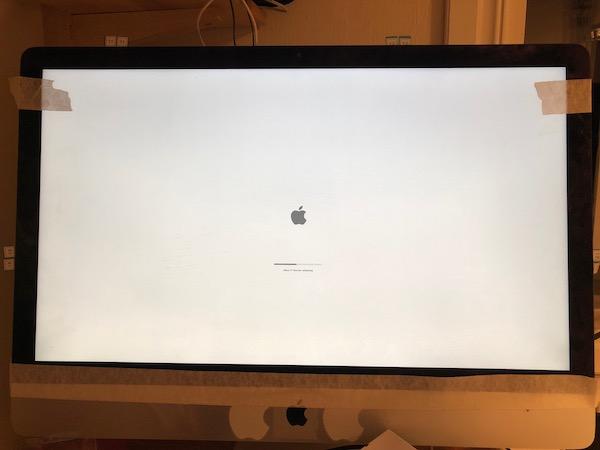
When you apply the new sticks be very careful – you have one shot at this and it sticks the first time you try. Measure twice and cut stick once! Follow the instructions and you should be fine – especially the part of putting the screen back on can be challenging as you need to make sure the two cables are reconnected before removing the “glue protection”. I did as adviced and fired up the mac while just having the screen secured with masking tape and that was a good thing! Turned out I hadn’t fitted the screen connection cable just right and no picture!


Secure the screen with masking tape and test that everything works before finished the reassembling!

It was easy to remove the masking tape and take a second look inside to make sure that all connectors were firmly connected. Tried to fire things up and hey presto, it worked! I had installed the 32Gb of RAM earlier and now I could reinstall the MacOS (Mojave) to the new disk in a matter of minutes rather than hours. About 45 minutes after the picture was taken the iMac was back to normal with all systems go – and much quicker than before.

With a clean bill of health I could gently remove all the adhesive protections from behind the screen (small pieces stick out) and give a little push on the screen so make it really stick. The operation was over and the “patient” is better than ever!

In conclusion

I’m very impressed with this seven (7!) year old iMac – it still runs very well and with a faster disk and more memory practically indistinguishable from any newer model. Most work is not that CPU-intensive so I rarely hit any limits with processing power.

One other limit though is the screen: I have attached a 4K monitor and it will run 1080p at a reasonable refresh rate but no higher resolution – at 4K it’s 30Hz and my eyesight is not good enough for that.
Besides that, it runs like a charm and have quickly become my new primary work station.

Let’s go 2019!

Well, hello there – yes, the blog is still alive (just barely) and as much as it has been neglected in the previous years, the more I want to do something about it… finally!

Scrolling through the archives there’s plenty of half-assed attempts at trying to push some new posts through the Ol’ WordPress but not something coherent or contextual. It’s a random post here and there. Not really entertaining, interesting or impressive.

Here’s my pledge for the coming year: This blog will be much more active and the first’n’final resting place for some of the things I’ve been meaning to write about in the past.

At the same time, this blog is going to narrow the focus and not trying to be everything to everything (there will be other blogs for that). Instead, this blog will cover more in-depth matters, the bigger picture, the half-baked ideas and thinking out loud.

So let’s here it for a new beginning – rebooting and going for 365 days of uptime in 2019! Cheers!

Disable all contrib modules in Drupal 8

If you for some odd reason should need to disable all contrib modules in Drupal 8 in a sweeping motion, you could do with Drush:

Start by getting a list of all modules, that…

  • are enabled
  • are not in core
  • get the machine name
  • and put it all in a file
$ drush pml|grep Enabled|grep -v Core|awk -F"[()]" '{print $2}' > modulelist.txt

Then we put a drush command ahead of every module name and put it in a new file

$ sed 's/^/drush pm-uninstall -y /' modulelist.txt > disablecontrib.sh

Make it executable, fire away and Robert’s your mothers brother.

$ chmod +x disablecontrib.sh; ./disablecontrib.sh

Not elegant but fast and effective.

How to update Babystar firmware

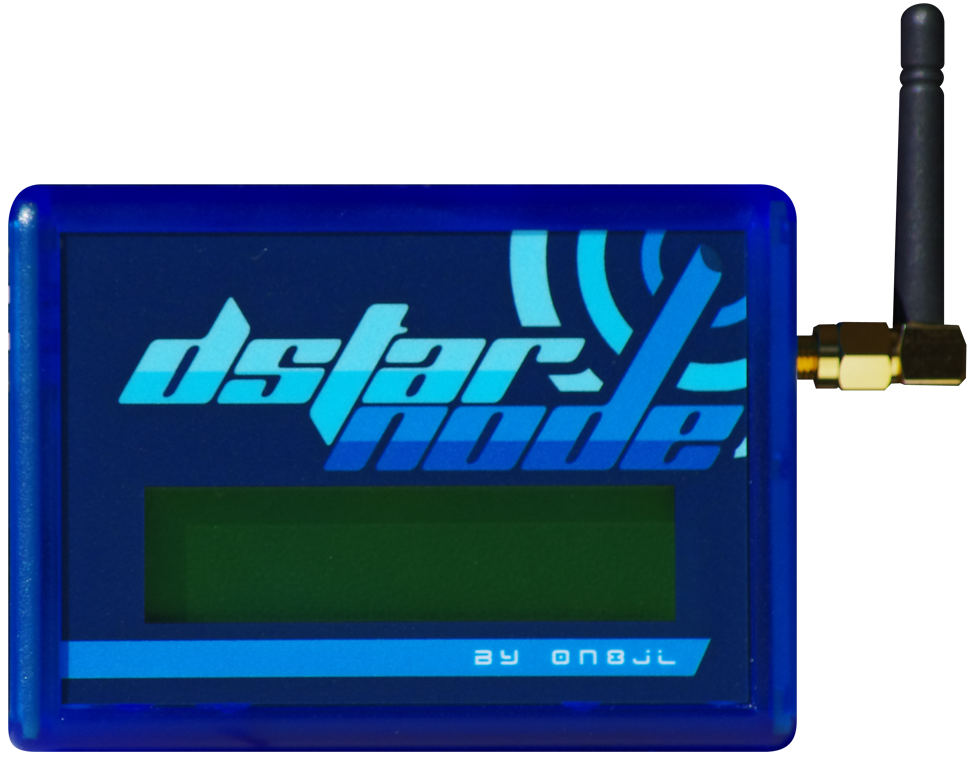
The present version of Babystar D-STAR hotspot is v. 1.04 and can be downloaded from the ON8JL website.

To update the hotspot with MacOS you can try and do what I did:

  1. Open the hotspot (screws on the underside)
  2. Attach the accompaning USB-cable to the three-pin serial-port
  3. Attach the USB-port and confirm that the port is created.
    Mine was called /dev/tty.usbserial-FTGXOC3V but milage may vary.
  4. Install Homebrew by following the instructions on the website
  5. Install Minicom with “brew install minicom”
  6. Install Ymodem (file transfer protocol) with “brew install lrzsz”
  7. Start Minicom with “minicom -s” which brings it into config-mode
  8. Under “File transfer protocols” change the filepath to Ymodem send files (under B) to “/usr/local/Cellar/lrzsz/0.12.20/bin/lsb -vv” and change recieve files (under E) to “/usr/local/Cellar/lrzsz/0.12.20/bin/lrb -vv”.
  9. When attached to the hotspot go to menu and choose Send files, then Ymodem and then choose the file.

It’s still alive!

It’s been ages since I last updated this blog and that’s a bit of a shame. Not because of lack of ideas for topics or posts but mostly lack of time – or more correctly, a lack priority. Hopefully this is about to change since there’s plenty to write about and document.

This is just to confirm that although the blog is a bit stale it still hasn’t reached “best before” date – and I will be updating these pages soon.

So stay tuned! More to follow!

A foreigner in LA

I’m at work right now and as many times before that means traveling. Not that I mind that at all. In fact, with winter full on at home with temperatures around freezing and practically no sight of sun it’s quite nice to spend some time in a more hospitable climate.

20160305_080756

Not to mention, a taste of the big city although is becomes clear that I’ve become accustomed to living in the country – but not surprising the contrast is clear between a small village in the Scandinavian countryside and one of the worlds most iconic metropolis’ Los Angeles.

Came here for the first time a year ago and now on the 5th visit – this time longer than anytime before since I’m staying for a month (33 days to be exact). That’s a month of sunshine, meeting old friends, working with great colleagues and plenty of new experiences – it’s impossible to stay here without something not planned happening. Anything else is would be odd in a city of roughly the same population as all of Scandinavia combined.

Just another day at the office
A “winter” day in February in Los Angeles

But of course it’s not all fun’n’games. Being far away from home and family takes it’s toll and not having your own bed to end the day in adds a bit to the stress of traveling. All this – though – is a small price to pay I must say. The challenge and adventure is more than enough to outweigh the negative and five weeks fly by quite quickly.

Posting via mail

WordPress is pretty cool – you can mail your blogposts in and get them published automatically. And if you – like me – really like your mail client for writing and editing it couldn’t be easier 🙂 Give it a twirl! I use Postie and that’s a recommended module.

So, what’s happening?

I’ve made a few updates to the system and did some ‘house-cleaning’ so maybe this time I can start to blog a bit more.

As of now the overall language is English but there will be posts in Danish and even Swedish. It’s hard to be multi-lingual when most tools are only built for one language at a time – and support for more languages is only possible through shaky 3rd party add-ons. Well, let’s see how it goes – the new Drupal 8 has best-in-business support for multiple languages so I might change to that soon – so far, I’m going with WordPress.

See you in the comments.